What Is a Workflow? A Plain Definition for Researchers
Summary
What is a workflow? It is a repeatable sequence of steps that moves work from a trigger to a finished outcome, with an owner for each step. It differs from a process by scale: a process links several workflows toward a goal. Workflows come in three shapes, sequential, parallel and rules-driven. Write one down by naming its trigger, inputs, steps, decisions and output, then run it on a real document.
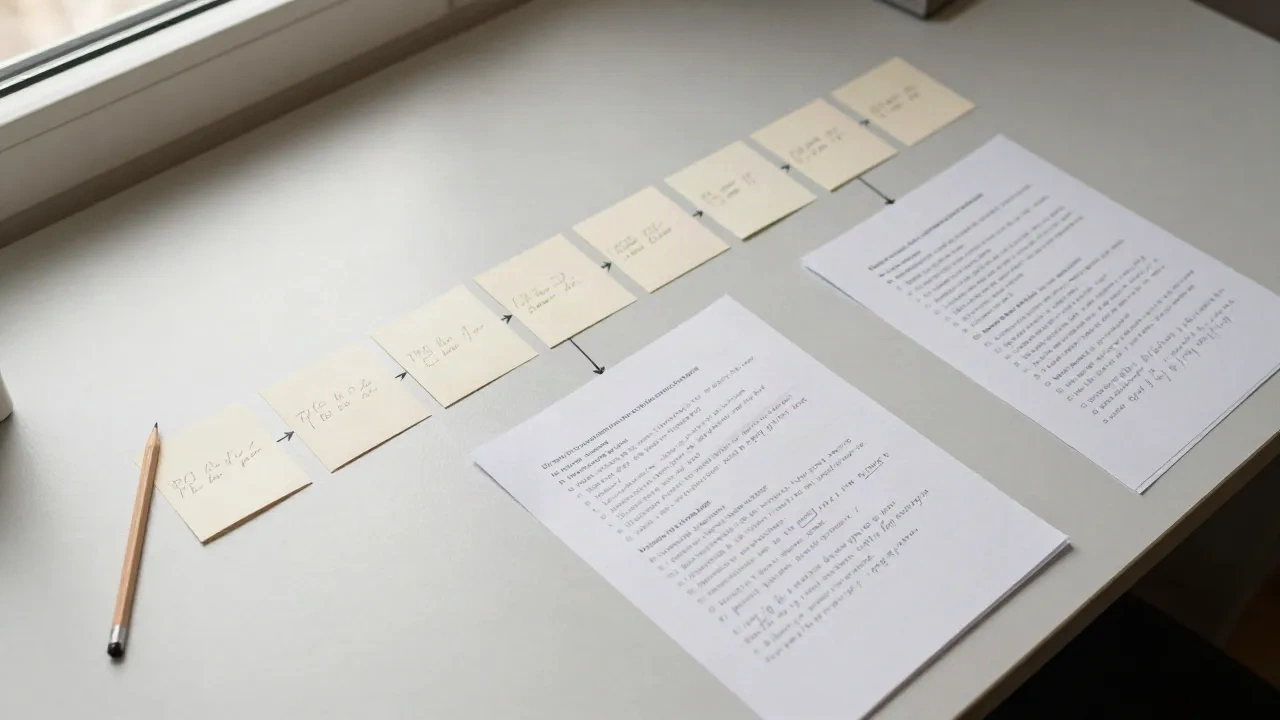
What is a workflow? It is a repeatable sequence of steps that carries a piece of work from a trigger to a finished outcome, with someone or something responsible for each step. That is the whole definition. Everything else in this article is about making it useful: how to tell a workflow from a process, which three shapes it takes, and how to write one down for the reading and writing you already do.
A scene first. A client sends me a 62-page grey report on a Monday morning with a question attached. I have no time to read it twice. What I do next is not improvisation: I skim the contents, pull the executive summary, mark the tables, run an extractor over the rest, check the quoted figures against the source, and write four lines back. Done the same way each time, that sequence is a workflow, whether or not I ever name it.
What counts as a workflow, and what does not?
Three ingredients are enough. A trigger starts the work (a PDF lands in a folder, a request arrives, a Friday afternoon comes around). A set of steps moves it forward in a known order. An output tells you the work is finished. Remove any one of these and what remains is a habit or a wish, not a workflow.
Process.st lists a few more elements in its definition of a workflow: inputs, owners for each step, rules that decide what happens next, and evidence that the work was done. For personal use, owners collapse to "me or the tool", and evidence is often a file in the right folder. For a team, owners matter a great deal, because a step with no owner is the step that gets skipped.
Here is the practical test. Can a colleague repeat the sequence without calling you? If yes, you have a workflow. If the answer is "it depends on my mood and which tab is open", you have a preference.
Is a workflow the same thing as a process?
Close, but not identical, and the difference is mostly one of scale. Zapier frames it this way in its comparison of workflows and processes: a workflow is the task-level sequence for one job, while a process is the longer, goal-driven structure that strings several workflows together.
Take a literature review. The process is the whole review, from question to submitted chapter. Inside it sit several workflows: finding candidate papers, screening abstracts, extracting findings into a table, checking citations. Each has its own trigger and its own output. The process is the road, and the workflows are the stretches you actually walk.
Some writers use the two words interchangeably, and in a casual conversation that is fine. The distinction earns its keep only when you are deciding what to write down. Document the workflow, the small repeatable unit. Leave the process as a map of how those units connect.
The three shapes a workflow takes
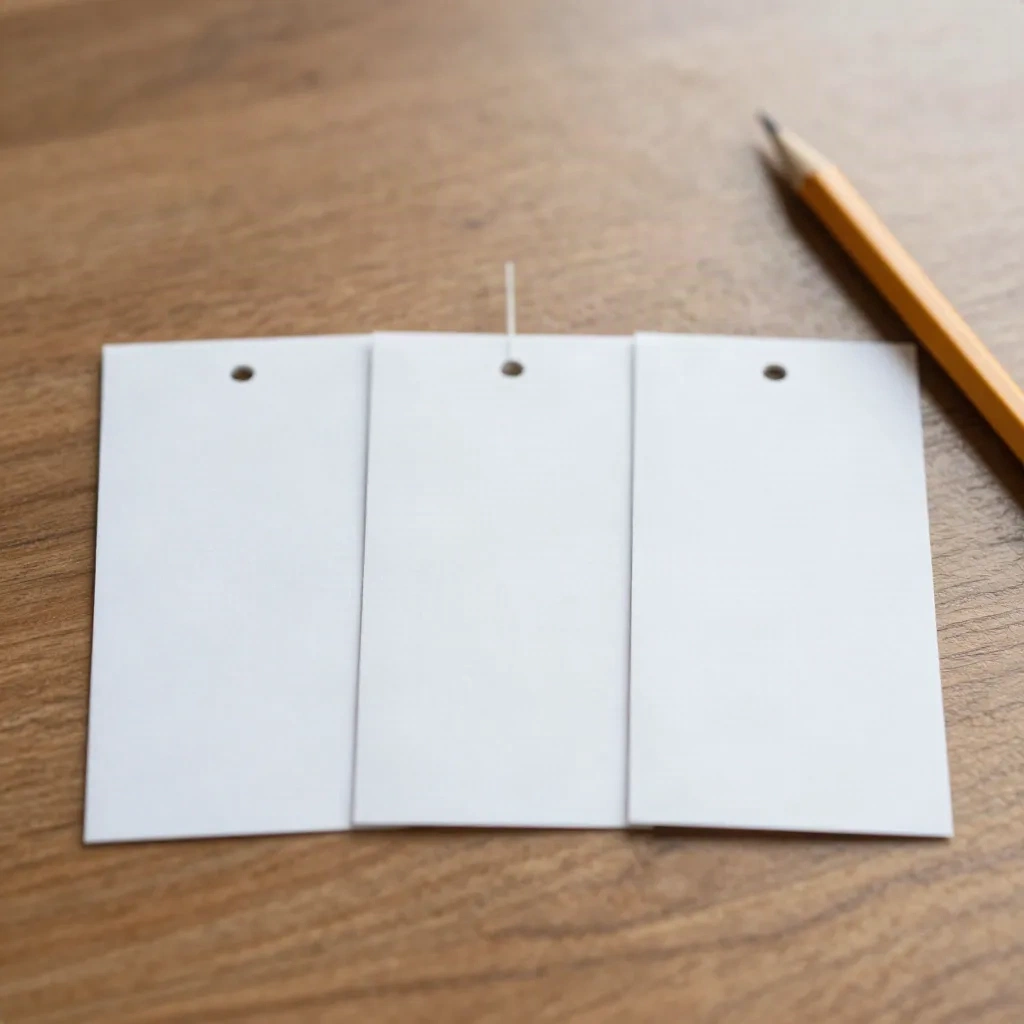
Most workflows fall into one of three shapes. Knowing which one you are dealing with saves a lot of over-engineering.
Sequential. Step two starts when step one ends, and so on to the finish. Reading a paper for a seminar is a good example: abstract, figures, methods, discussion, notes. It is the easiest shape to write down and the one to start with.
Parallel. Several steps run at the same time and meet again at the end. A research team preparing a report might have one person extracting data, another checking sources and a third drafting, with a merge point before review. The risk here is the merge: parallel work that has no agreed meeting point drifts.
Rules-driven. The path changes depending on what the work contains. A short article goes straight to your notes. A long report goes to a summarizer first. A paper with a statistical claim you intend to cite goes to a manual check against the source. This shape is where most real reading workflows end up, because documents are not uniform.
Observe that none of these shapes needs software. A card taped to a monitor can carry any of them. Software enters the picture only when volume makes the repetition expensive.
How do you write one down in fifteen minutes?
Pick one job you did at least three times this month. Not the most important job, just a recurring one. Then fill in five lines.
Trigger: what starts it? "A new PDF in the inbox folder."
Inputs: what do you need on the table? "The PDF, the question from the client, my citation template."
Steps: the verbs, in order, five to eight of them.
Decisions: where does the path split? "If over 30 pages, summarize first."
Output: what does done look like? "Four lines to the client, with page numbers."
Do not polish. Write it from memory the first time, then run it once against a real document and fix what you forgot. Most people discover that a step they considered obvious is the one they quietly skip when tired. That discovery is the entire value of the exercise.
A short caution on length. A workflow with fifteen steps is usually two workflows pretending to be one. Cut where the output of one part could stand alone.
Where do AI tools belong inside a workflow?
At a step, never at the whole. This is the mistake we see most often: someone adopts an AI summarizer and expects it to be the workflow. It is one step inside it, typically the "reduce" step between "collect" and "check".
A sensible reading workflow with a summarizer looks like this: collect the sources, triage by title and abstract, run the long ones through a summarizer, check every figure you intend to quote against the original, then file the result with its source attached. The tool compresses. You still decide what matters and you still verify.
Verification deserves its own line because it is the step people drop first. A summary can be fluent and wrong on a number. Keeping the check as a named step, with an owner (you), is what separates a workflow that saves time from one that quietly produces errors. If you want a tool that keeps the link to the original passage, such as NotebookLM, the check becomes a click rather than a search.
Which tools help, and which ones are overkill?
Skip workflow software until you have a written workflow that you run by hand at least five times. Automating a sequence you have not stabilised only makes the mistakes faster.
Once it is stable, match the tool to the shape. For a sequential reading routine, a read-it-later app that keeps highlights is enough. Readwise Reader is built around exactly that loop of capture, highlight and review.
For notes that need to connect to each other across projects, a local-first notes app does the job without asking you to adopt a platform. Obsidian is the usual choice among researchers we hear from, mostly because the files stay yours.
For rules-driven or parallel work that touches several apps, such as filing every new PDF into the right folder and notifying a colleague, an automation service earns its place. Zapier is the common entry point, and it is reasonable to start with one trigger and one action before building anything larger.
Skip the all-in-one workspace if your actual problem is reading volume. A workspace organizes what you have already read. It does not reduce what you have to read.
What goes wrong, and how do you notice?
Three failure patterns come up again and again.
The first is the invisible step. A step lives in one person's head, so when that person is away the workflow stops, or worse, continues without it. The fix is mechanical: write every step down, including the one that feels too obvious.
The second is the missing output. The workflow runs but nobody can say what "finished" means, so work loops back. Define the output as a thing you can point to: a file, a table, a four-line message.
The third is the stale workflow. It was right for the documents you handled last year and wrong for the ones you handle now. Review it whenever a step feels like friction, and delete steps that no longer change the result. A workflow that only grows is a checklist nobody reads.

A worked example: one report, six steps
To make this concrete, here is the Monday report again, written as a workflow.
Trigger: a PDF over 30 pages arrives with a question. Step one, read the contents page and the executive summary, and note the question the authors say they answer. Step two, mark the tables and figures that touch the client's question. Step three, run the full text through a summarizer and ask it for points tied to that question, with page references. Step four, open the original at each page reference and confirm the numbers and the wording. Step five, drop the confirmed points into a four-line reply. Step six, file the PDF, the summary and the reply together under the client's name.
Output: a reply the client can act on, and a folder that a colleague could open next month and understand. Total time, once practised, is a little under an hour for a document that used to eat a morning. We would not call that dramatic. It is simply what happens when the same steps are done in the same order and the tool is given only the job it does well.
Where to start tomorrow
Write one workflow, not ten. Choose the recurring job that annoys you most, fill in the five lines, and run it on the next real document. Change what breaks. After the third run, decide whether a tool earns a place in it.
"What is a workflow" is a question with a short answer and a long practice. The short answer fits in a sentence. The practice is a card on your desk that says what starts the work, what you do, and what done looks like. Which of your recurring jobs would you write down first?